AI model photo & video shoot — for garment brands, and for any other business, shop, or product. See exactly how both work and what they cost before you create an account.
Download the SJS aiTech app
Put it on your phone or computer. It is free, takes a few seconds, and you do not need the Play Store.
Android phone
Open this page in Chrome.
Tap the three-dot menu (⋮) at the top right.
Tap Install app (some phones say Install and create shortcut or Add to Home screen), then tap Install.
The SJS aiTech icon appears on your home screen.
iPhone or iPad
Open this page in Safari.
Tap the Share button (a square with an arrow pointing up). On newer iPhones it is inside the three-dot button (⋯) next to the address bar: tap that button, then tap Share.
Scroll down and tap Add to Home Screen. If you see Open as Web App, leave it switched on.
Tap Add. The SJS aiTech icon appears on your home screen.
Computer (Windows or Mac)
Open this page in Chrome or Edge.
Click the install icon at the right end of the address bar (a small screen with a down arrow), then click Install.
No icon? Open the browser menu (⋮ or …) and look for an option that starts with Install.
Opened this page from WhatsApp, Instagram or Facebook? Those built-in browsers usually cannot install apps. Open the menu (the three dots, or the compass icon on iPhone) and choose “Open in Chrome”, “Open in Safari” or “Open in browser” first. Already added it? Just open SJS aiTech from your home screen.
1. Watch how it works
For garments
A short walkthrough of uploading a garment and generating a finished photo and video.
For businesses & shops
A short walkthrough of generating a presenter and a talking video for a business, shop, or product.
Garments — before & after
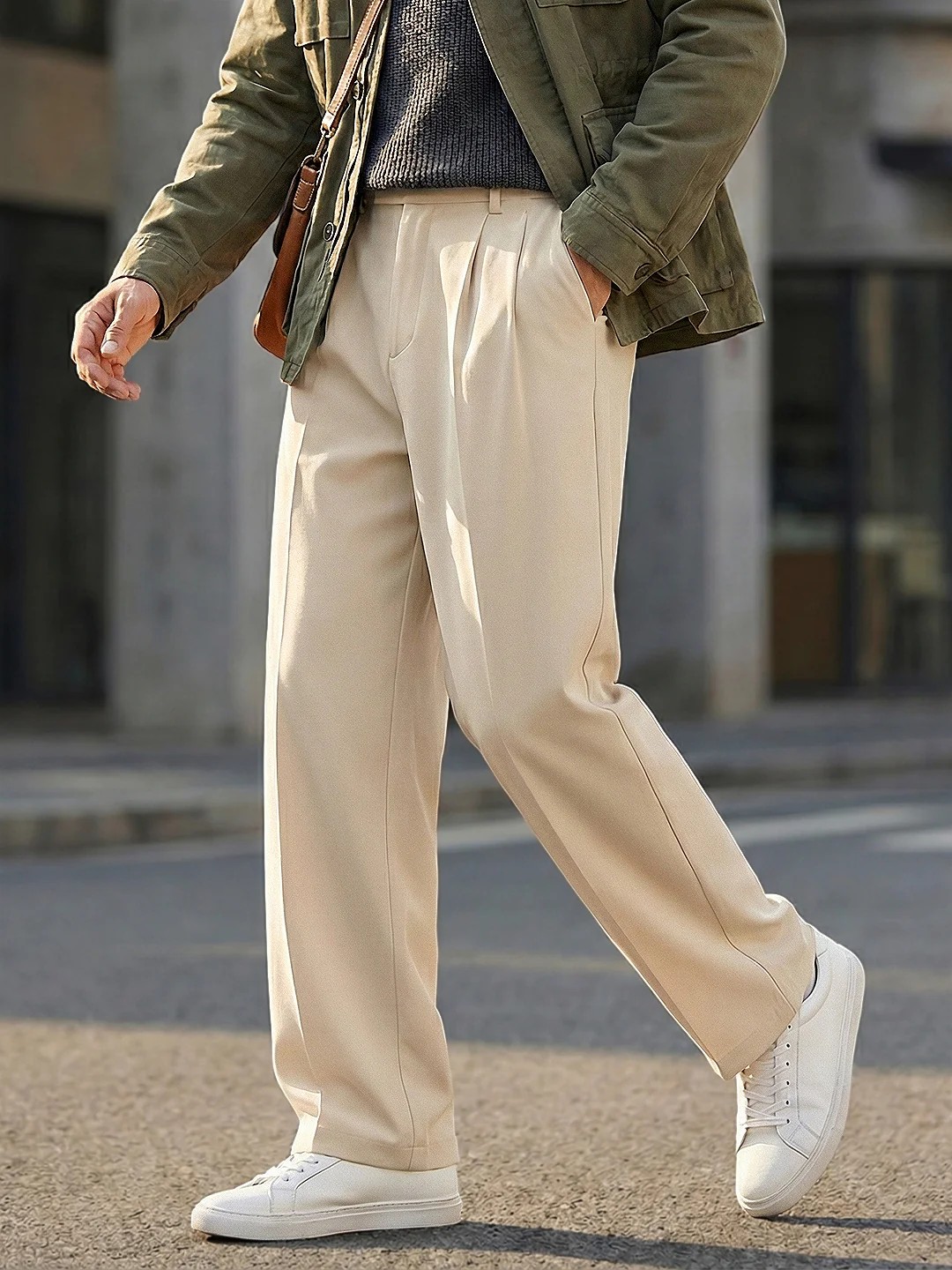
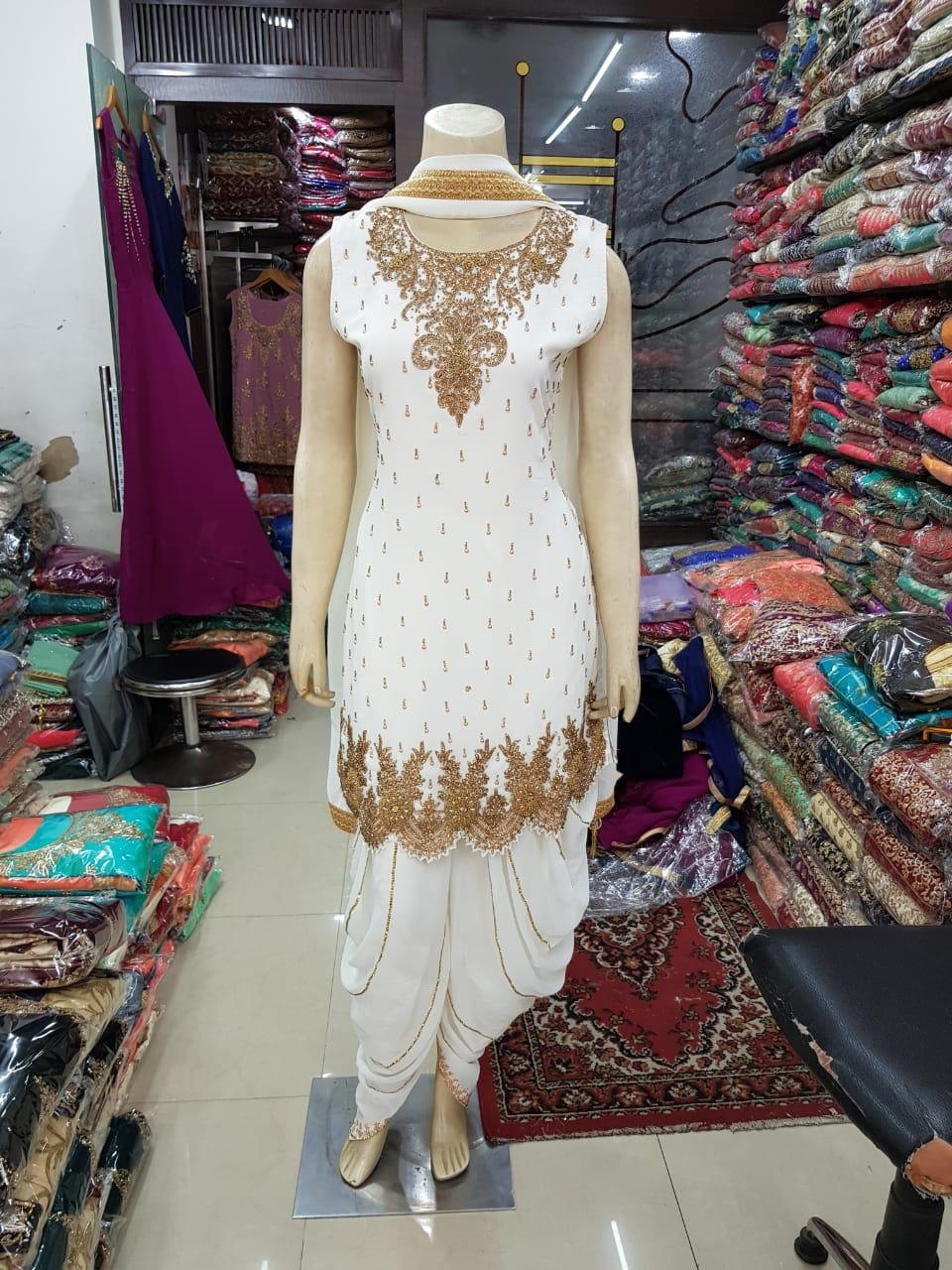
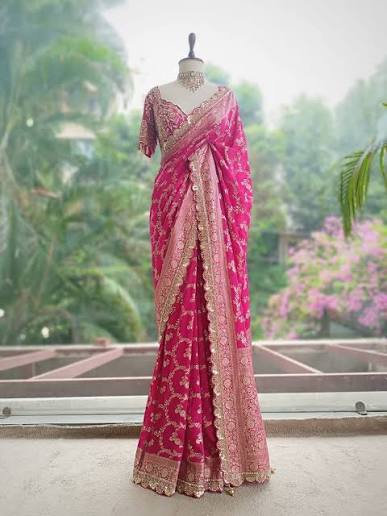
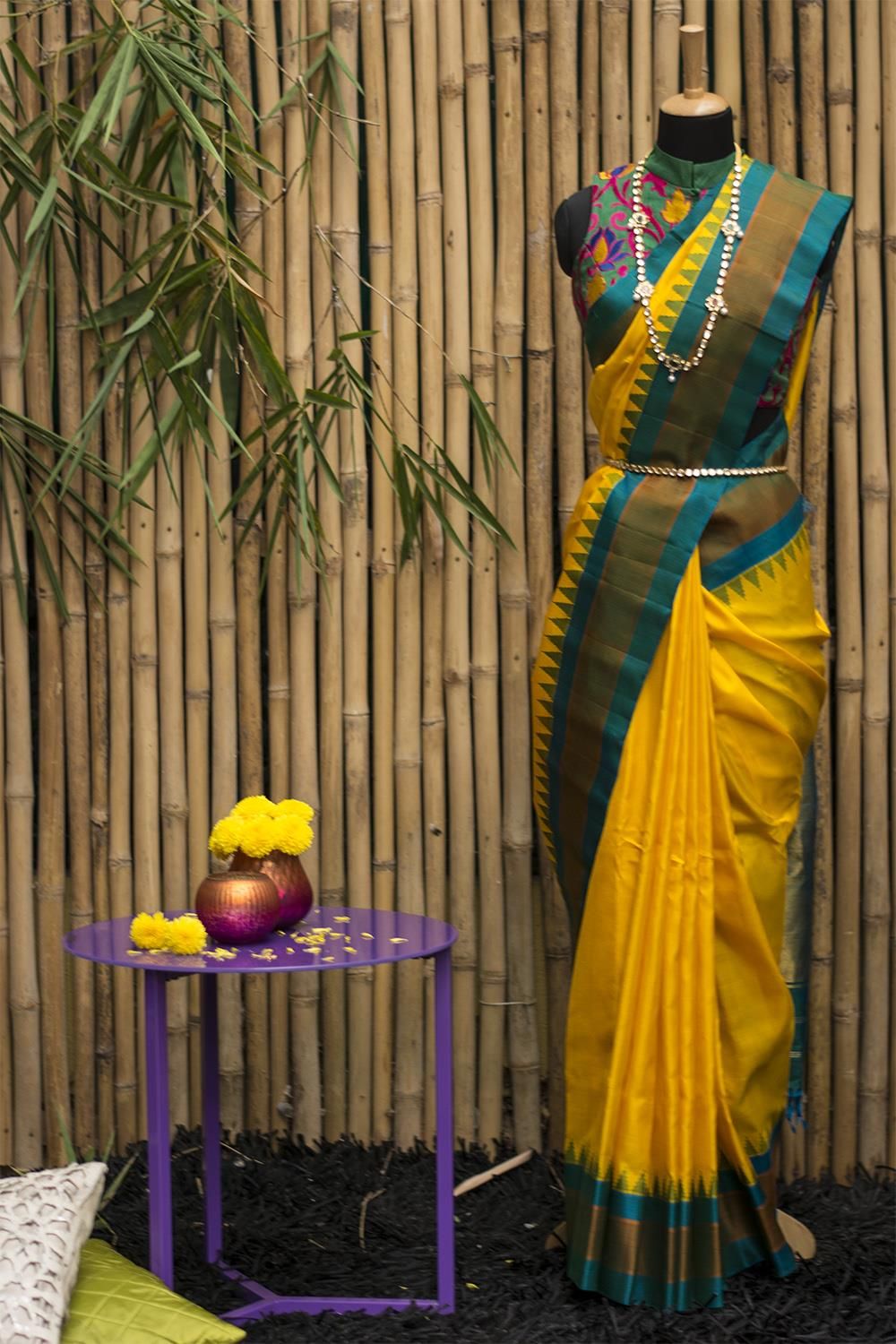
The actual garment photo uploaded, next to the actual video the tool generated from it — no edits, nothing staged.
→
Cream trousers
→
White embroidered salwar suit
→
Pink banarasi saree
→
Yellow & teal silk saree
Businesses & shops — a few examples
Presenter holding a product, on location
Presenter standing beside a larger product
Presenter beside a two-wheeler
Presenter placed inside a real shop background
2. Read the full guide
The same step-by-step guide our own team uses — every screen, every option, explained.
Every generation costs a fixed number of credits, shown before you generate anything — no surprises once you're in.
For garments
Tier
Photo
Product sheet
8-second video
Standard
2 credits
3 credits
6 credits
Pro
2 credits
3 credits
12 credits
Ultra
3 credits
4 credits
48 credits
A 16-second video is two 8-second generations combined — roughly double the 8-second cost shown above.
For businesses & shops
A single, fixed pricing tier — no tier choice to make.
Step
Cost
Presenter (once, reused for every video after)
4 credits
8-second video
6 credits
16-second video (two segments combined)
12 credits
The presenter is generated once and saved — every video after that only costs the video itself, not the presenter again.
Credit packages
Shared across both tools — the same credits work for garments and for businesses/shops.
25 credits
₹250
₹10/credit
50 credits
₹500
₹10/credit
200 credits
₹2,000
₹10/credit
500 credits
₹5,000
₹10/credit
4. What you get
For garments
A dressed-model photo of your exact garment, in your choice of quality tier
Optional multiple poses — front, side, and back — in one pass
A 10-panel product detail sheet showing construction close-ups
8-second or 16-second silent product videos
Ready-to-upload exports for Amazon, Flipkart, Myntra, Meesho, Meta ads, and YouTube — included, no extra cost
For businesses & shops
A presenter photo you choose the outfit for — saree, kurti, western, formals, suit, or t-shirt & jeans (options differ for female and male presenters)
The presenter shown holding your product, standing beside it, or placed in your own background photo — or a combination
An 8-second or 16-second talking video of the presenter describing your product or business, in your own words
Ready-to-use exports for YouTube, Meta ads, and Reels/Stories — included, no extra cost
Generate the presenter once, then reuse the same one for every future video
Comfortable with the process and the pricing?
Create your account and get started — pick a package, and your first credits are ready in minutes. Both tools are available from the same account, with a toggle at the top to switch between them.